Testomat.io Chrome extension
Attach a screen recording
The panel records the tab you are testing into a .webm — no audio — and
lets you review and trim it before anything uploads.
Record
Three ways to start, same recording:
- Attach screen recording in the test’s Attachments fold;
Alt+Shift+Rwhile you are on the page;- right-click the page → Testomat.io → start recording.
While it runs, the controls sit on the page itself, where you are looking: a timer, Pause / Resume, Stop.
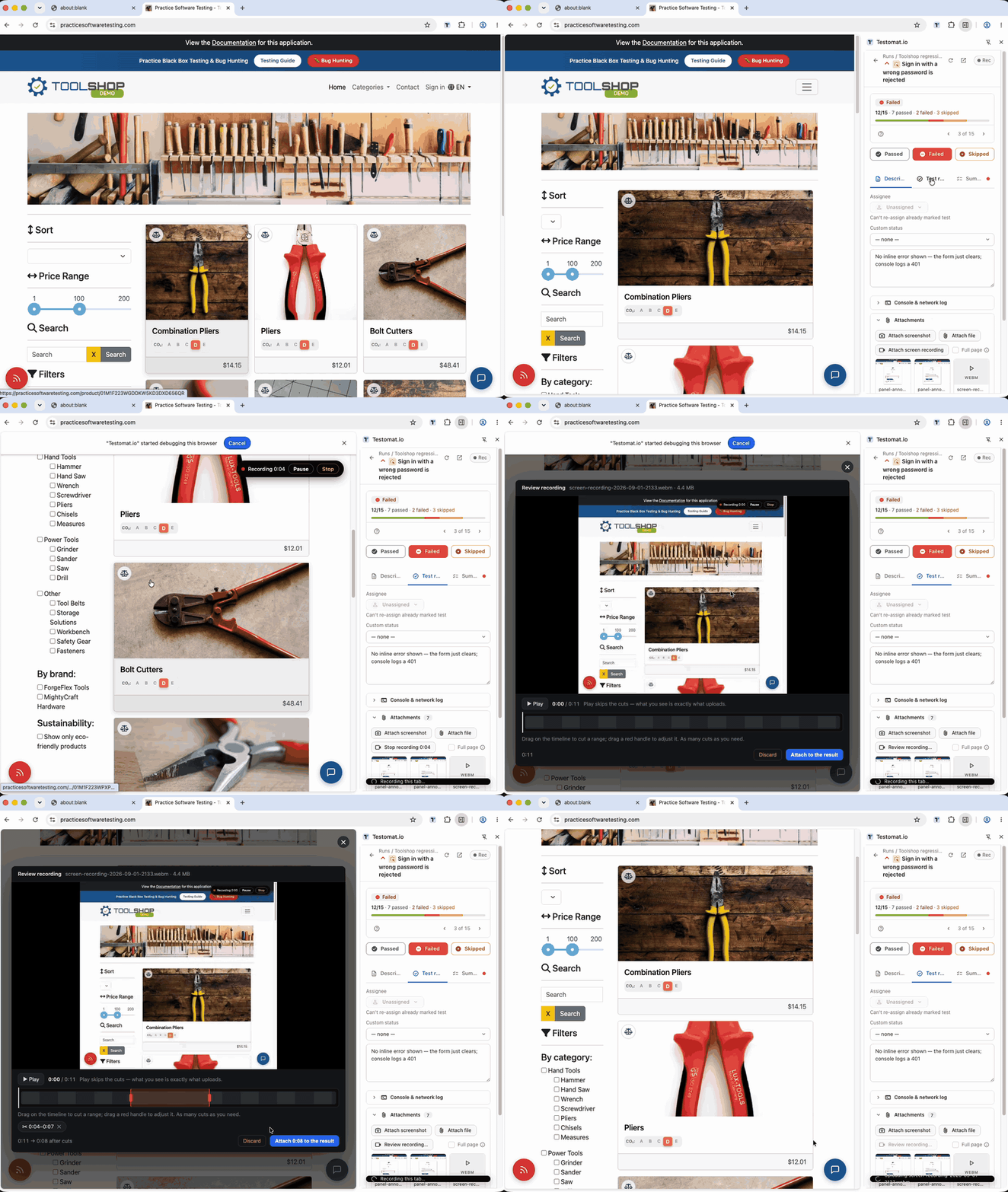
The recording stops itself at 5 minutes or 50 MB — the bar says which limit was hit.
One Chrome quirk worth knowing: the fast capture route works when you start from the page (the hotkey or the right-click item). Starting from the panel button records over Chrome’s DevTools protocol instead — same file, but Chrome shows its “…is debugging this browser” bar while it runs. That bar is expected; it goes away at Stop.
Review and trim
Every Stop opens a review right over the page: a player and a timeline.
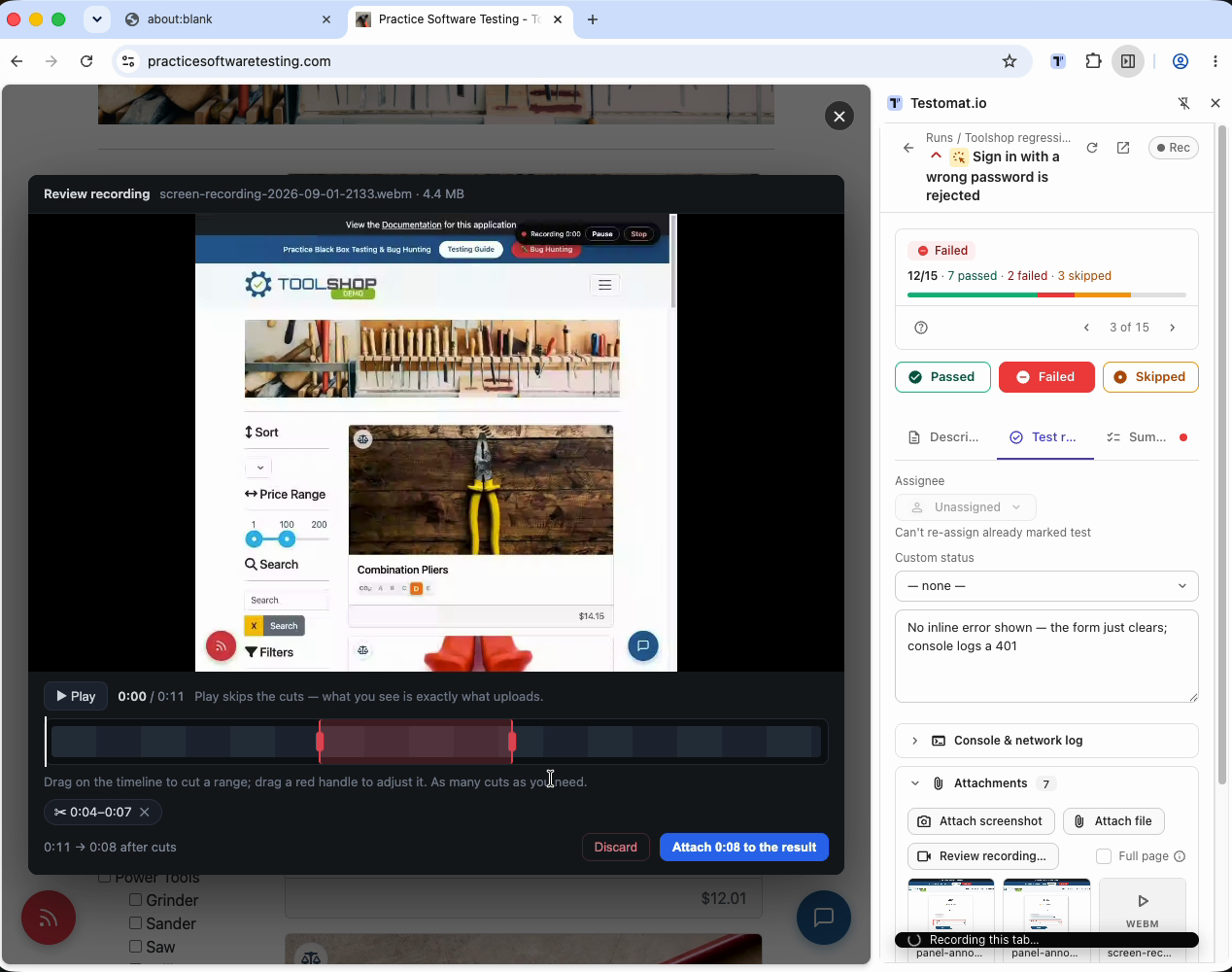
- Play previews exactly what will upload — it skips what you cut.
- Drag on the timeline to cut a range out; cut as many ranges as you like, anywhere. Each cut becomes a chip under the timeline with an ✕ to undo it.
- Attach to the result uploads the kept parts. With cuts, the panel re-records the kept ranges once (“replays” them) — the uploaded file is a normal video, and the uncut original is destroyed in the same moment.
- Discard deletes the take. Uploading never happens by itself: closing the review keeps the take parked, and the panel button reads Review recording… until you decide.
If it didn’t work
- “…is debugging this browser” appeared — expected on a panel-started recording; see above.
- Chrome refuses to start on this page — the panel quotes Chrome’s own reason. A leftover frame from a disabled extension can cause it; the panel works around that by itself, but if Chrome still refuses, reload the page once and start again.
- It stopped on its own — the bar said why: “Time limit reached” (5 min) or “Size limit reached” (50 MB). Attach what you have and start another take if needed.
- No sound in the file — by design; the tab’s audio is never captured.